How to Use AI Car Photography: 5-Step Guide for Car Listings
Quick answerAI car photography can significantly improve your vehicle listing photos by automating common edits like background changes and lighting adjustments. This technology offers a quick way to make your cars look more appealing to potential buyers online.
AI car photography can significantly improve your vehicle listing photos by automating common edits like background changes and lighting adjustments. This technology offers a quick way to make your cars look more appealing to potential buyers online.
This guide will walk you through the practical applications of AI editing for your car photos, covering what it excels at, where it falls short, and how to best use it for platforms like Turo and online marketplaces.
1. Understanding AI's Role in Car Photo Editing
AI car photography tools are designed to streamline the editing process for automotive listings. They can automate tasks that would otherwise take a professional editor hours, such as removing cluttered backgrounds or adjusting exposure.
For private sellers, dealers, and Turo hosts, this means less time spent on post-production and more time focusing on sales or rentals. The goal is to create a consistent, professional look across all your vehicle images without needing advanced editing skills.
However, it's important to understand that AI is a tool, not a magic wand. It works best when given good source material and when its limitations are recognized. Knowing these boundaries helps you use it effectively.
Start with good lighting
AI can fix many lighting issues, but the best results come from photos taken in good natural light. Avoid harsh shadows or overly dark shots, as AI struggles to invent details that aren't present.
Aim for overcast days or the 'golden hour' (shortly after sunrise or before sunset) for soft, even lighting that showcases the car's shape and color accurately.
Practical rule: Good original photos make AI editing much more effective.
2. What AI Editing Fixes in Your Car Photos
AI excels at correcting common issues that detract from car listing photos. Changing the background is a prime example; AI can remove distracting elements like busy streets or cluttered garages and replace them with clean, professional scenes.
Lighting adjustments are another strong suit. AI can brighten underexposed photos, balance colors, and reduce harsh glare, making the car appear more vibrant and appealing. This consistency is key for marketplaces and Turo listings.
Furthermore, AI tools can help resize images in bulk, which is essential for meeting the specific requirements of different online platforms. For instance, Turo recommends uploading at least 10 high-quality photos per listing, and consistent sizing helps.
Achieve consistent backgrounds
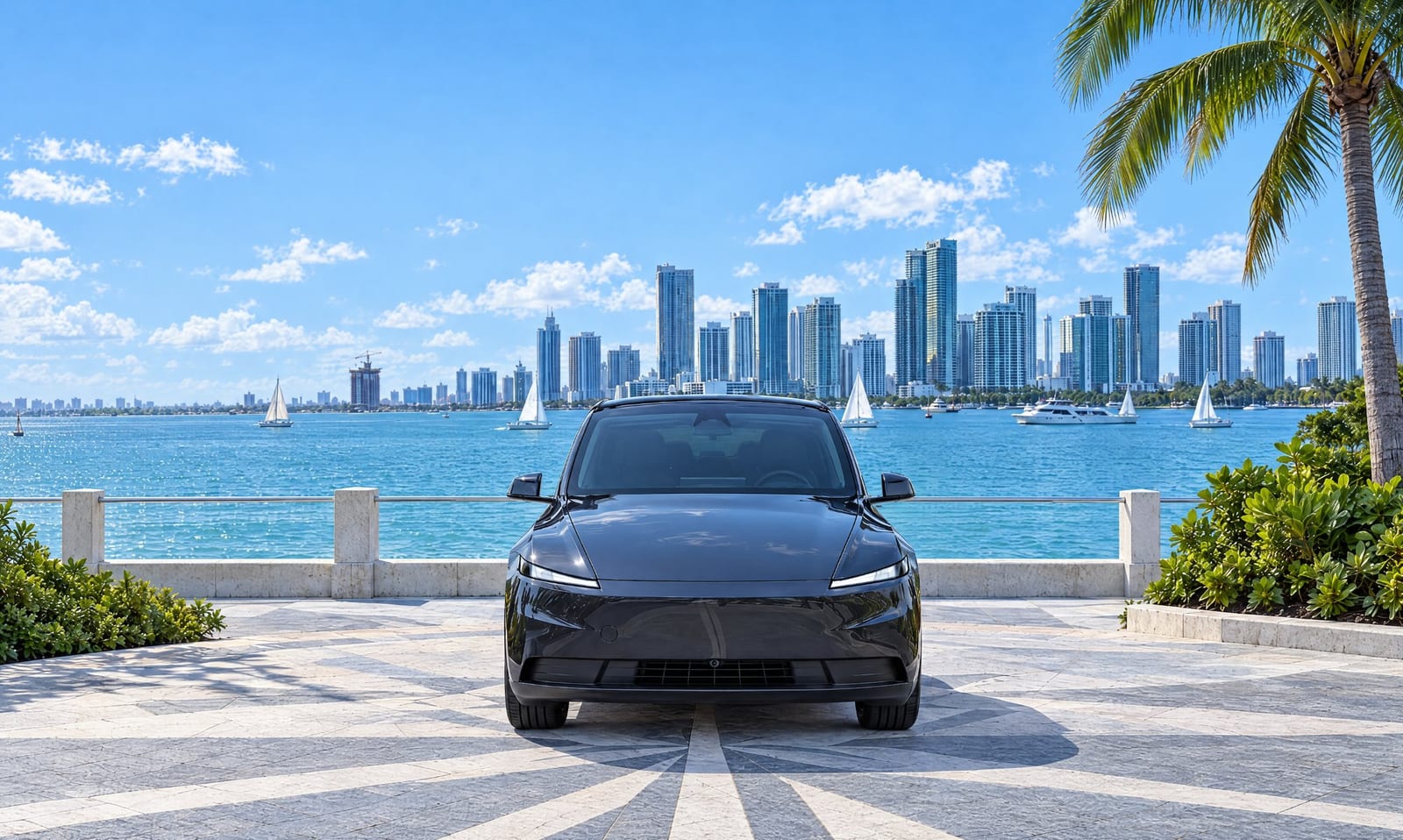
Using AI to change backgrounds provides a uniform look for all your listings. Whether you choose a studio, urban, or minimalist scene from a library, it ensures buyers see a clean presentation of the car.
This consistency helps build brand recognition for dealerships or a professional image for Turo hosts, making your listings stand out from those with varied or unprofessional backdrops.
Practical rule: Consistent backgrounds help create a professional and trustworthy appearance for your listings.
3. Limitations of AI Car Photography
While powerful, AI car photography cannot fix fundamental flaws in the original image. It cannot correct poor camera angles that hide important features or make the car look awkward. If the photo is taken from a bad perspective, AI editing won't magically fix it.
Similarly, AI cannot invent or hide physical damage. Dents, scratches, or rust will remain visible if they are present in the original photo, even after background and lighting adjustments. Honesty in your listing photos is crucial.
Online platforms have rules about misleading imagery. Turo, for instance, states that using stock photography is misleading and against their Terms of Service. AI edits should enhance, not deceive.
Be honest about the car's condition
AI can't hide damage. If your car has a dent or scratch, it's best to show it clearly or disclose it. Trying to use AI to obscure damage can lead to buyer dissatisfaction and negative reviews.
For dealers selling used cars, remember that a Buyers Guide must be posted, stating whether the car is sold 'as is' or with a warranty (U.S. Federal Trade Commission). Transparency is key, and photos should reflect reality.
Practical rule: AI editing should enhance, not misrepresent, the vehicle's condition or features.
4. Navigating Platform Photo Rules with AI
Different online platforms have specific requirements for listing photos. Turo, for example, requires crisp photos with natural light and a clean background, advising sellers to step back to include bumpers and wheels (Turo).
Facebook Marketplace also has Commerce Policies that listings must follow (Facebook Help Center). While Facebook may enhance listing photos to improve quality, sellers are responsible for providing accurate images. AI tools can help meet these quality standards.
Understanding these rules prevents your listings from being flagged or removed. AI can help ensure your photos are high-resolution, well-lit, and consistently formatted, which can also contribute to higher search ranking scores on platforms like Turo (Turo Help).
Ensure photos are clear and well-framed
Turo crops 20% off every side of listing photos, so it's important to step back and ensure bumpers and wheels are fully visible in your original shots (Turo). AI can't add back content that's cropped out.
Use descriptive filenames and alt text for your images, as search engines like Google use this information to understand and rank your images (Google Search Central).
Practical rule: Always check and adhere to the specific photo guidelines of each platform you use.
5. When NOT to Rely Solely on AI Editing
There are times when AI editing simply isn't enough, or when attempting to force an edit can do more harm than good. If a car is significantly damaged, has major cosmetic issues, or is photographed at a very poor angle, AI can only do so much.
Trying to use AI to 'fix' a fundamentally bad photo often results in unnatural-looking images. For instance, if the car is poorly lit with deep shadows obscuring details, AI might struggle to realistically restore lost information.
In these situations, the best course of action is often to retake the photos or to use professional automotive photo editing services that offer more nuanced control. This ensures honesty and the best possible presentation.
Recognize when to seek professional help
If your photos have significant damage, awkward angles, or poor lighting that AI can't realistically correct, it's time to consider professional services. A skilled editor can often salvage difficult shots better than automated tools.
For example, if a car has significant panel damage or missing parts, AI cannot recreate these elements. Professional editing or new photos are necessary for an accurate representation.
Practical rule: Don't use AI to mask significant damage or correct fundamentally flawed photography.
Related reading: Car image editor · Batch mode.
AI Car Photography: A Step-by-Step Breakdown
Here’s a quick look at how AI editing can help your car listing photos.
| Step ⚙️ | What It Fixes 🔧 | Effort ⏱️ | Common Mistake ⚠️ | Skip If ⛔ | At Shoturo 💡 |
|---|---|---|---|---|---|
| 1. Background Removal/Replacement | Distracting or messy backgrounds | Low | Unnatural-looking edges or artifacts | Car is in a beautiful, relevant setting | Change background color or use virtual studio |
| 2. Lighting & Exposure Adjustment | Dark, underexposed, or washed-out photos | Low | Over-brightening or loss of detail | Perfect natural lighting already exists | Photo enhancer and image brightener |
| 3. Color Correction | Inaccurate or dull car colors | Low | Unnatural color casts | Colors are already true-to-life | Photo enhancer |
| 4. Image Resizing/Batch Processing | Incorrect image dimensions for platforms | Low | Resizing too much, losing quality | Only have one or two photos to upload | Bulk resize images and batch mode |
| 5. Detail Enhancement | Slightly soft focus or lack of sharpness | Medium | Over-sharpening, creating halos | Photos are already tack-sharp | Photo enhancer |
| 6. Damage/Angle Correction | Minor cosmetic imperfections or slight perspective issues | High (often impossible for AI) | AI cannot fix physical damage or poor angles | Significant damage or very bad angles | Professional human editing may be needed |
Build a System, Not a One-Off Fix
Consistently applying AI editing to your car photos creates a professional look that builds trust with buyers. Developing a routine ensures every listing benefits from these improvements, making your inventory more attractive and potentially speeding up sales.
Run a weekly photo check
- Lighting: Are photos well-lit with natural light?
- Backgrounds: Are backgrounds clean and uncluttered?
- Angles: Do photos show the car from good angles?
- Damage: Is all visible damage honestly represented?
- Consistency: Do all photos have a uniform look?
- Platform Rules: Do photos meet platform requirements?
If background editing is the hard part, that is what Shoturo's background remover and virtual car photo studio are for. See Shoturo pricing. See Shoturo pricing
Shoturo · shoturo.com · julio@shoturo.com
Enhance Your Car Photos Today
Visit Shoturo to change backgrounds and fix lighting for better listings.